
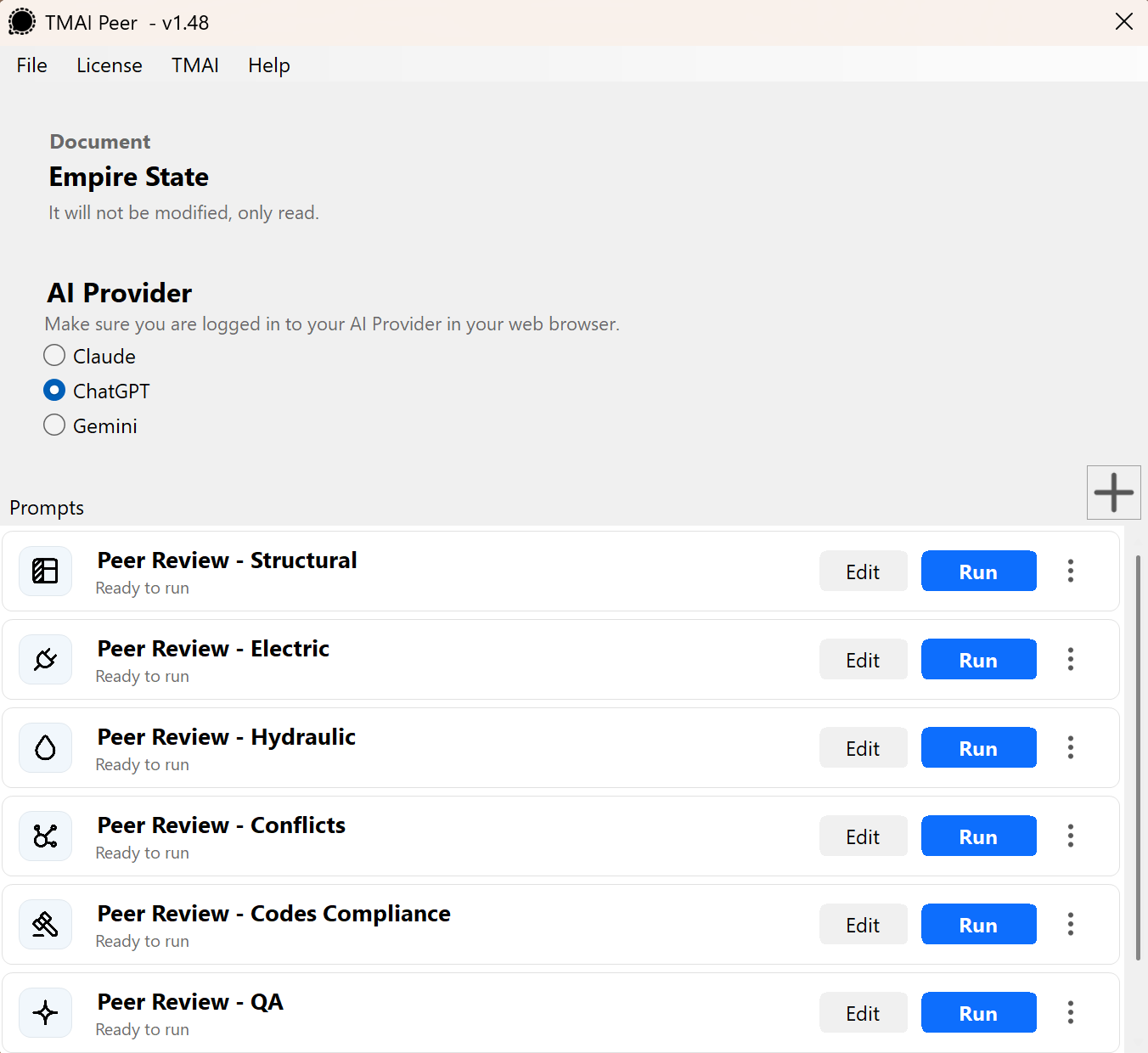
Use TMAI Peer to start an AI conversation with the context and files from your model or drawing. These steps apply to all supported applications.
Run your first prompt
Choose your AI provider. After opening TMAI Peer, select your preferred AI provider.
Sign in through your browser. Make sure you are signed in to your chosen AI provider in your web browser before running a prompt.
Choose a prompt. Select the prompt you want to run. Use the default text, or click Edit to tailor it to your needs.
Click Run. Allow a few seconds for TMAI Peer to prepare your model's context and upload the required files to your AI provider.
Continue in your browser. Your browser opens automatically with the prompt and all required files already in place. Everything is ready for you to continue the conversation.
Customize prompts for your team
You can create your own prompts and share them with your team to support consistent reviews across projects.
Treat the default prompts as a starting point. Edit and adapt them to reflect your company's policies, standards, and review procedures before using them.
Keep the conversation going
Ask follow-up questions in the same conversation to explore your model in more detail.
Your AI usage counts toward your chosen provider's subscription plan and is subject to its usage limits.
After changing your model or drawing
Run the process again whenever you modify your model or switch to a different one. This starts a new conversation with up-to-date context and files.